Live
Every target, at once.
The dashboard counts what is up, what is down, and the average of the latest replies.
A Mac app for latency, packet loss, jitter, and the path those replies take.
$19
One-time purchase. Updates included. Requires macOS 26.6 or later.
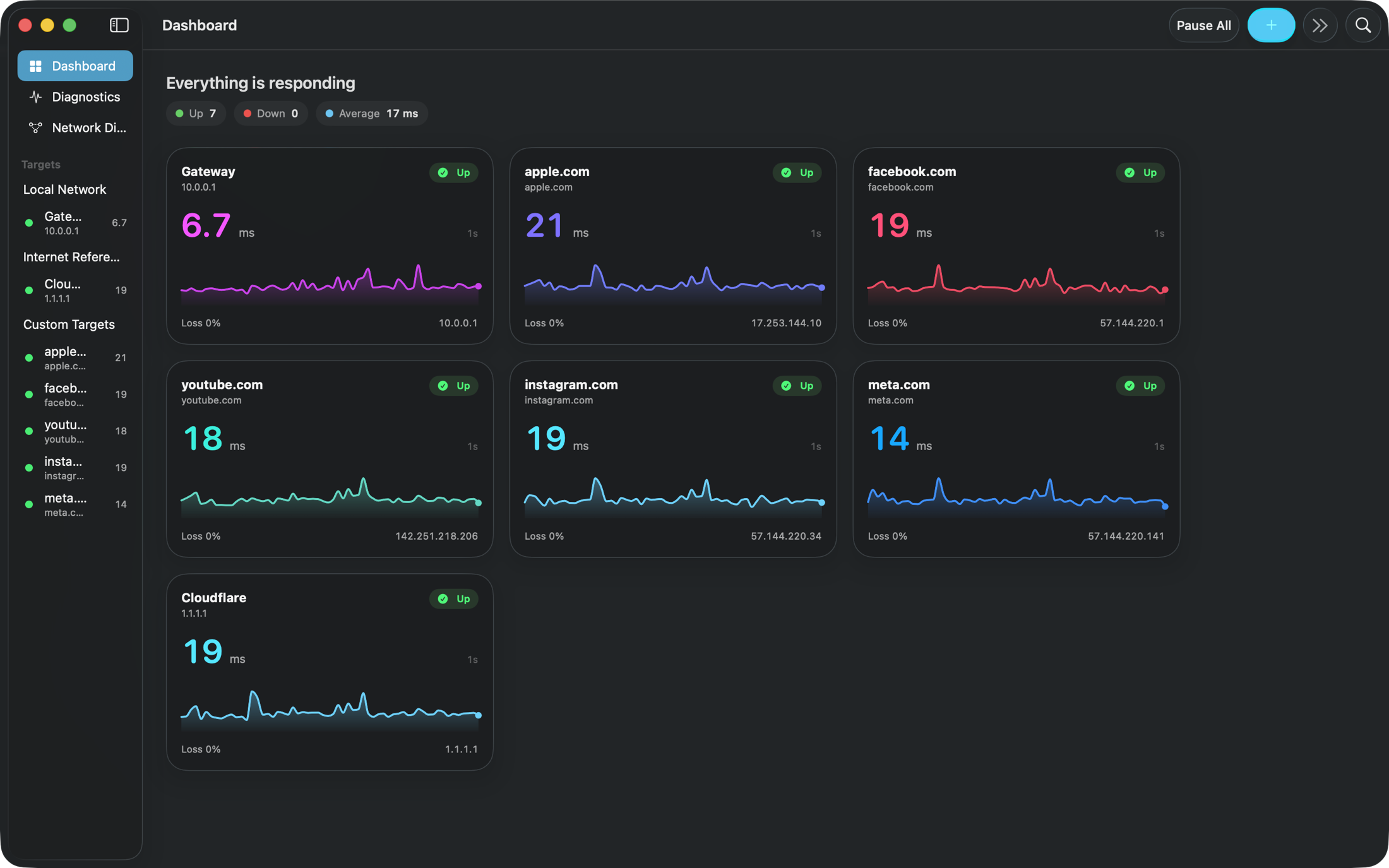
Live
The dashboard counts what is up, what is down, and the average of the latest replies.
200 msFastest
1 minSlowest
From every 200 milliseconds to once a minute. Each probe is a 64-byte echo.
A match is a clue, not a cause.
Latency, signal, transmit rate, and network events share one clock.
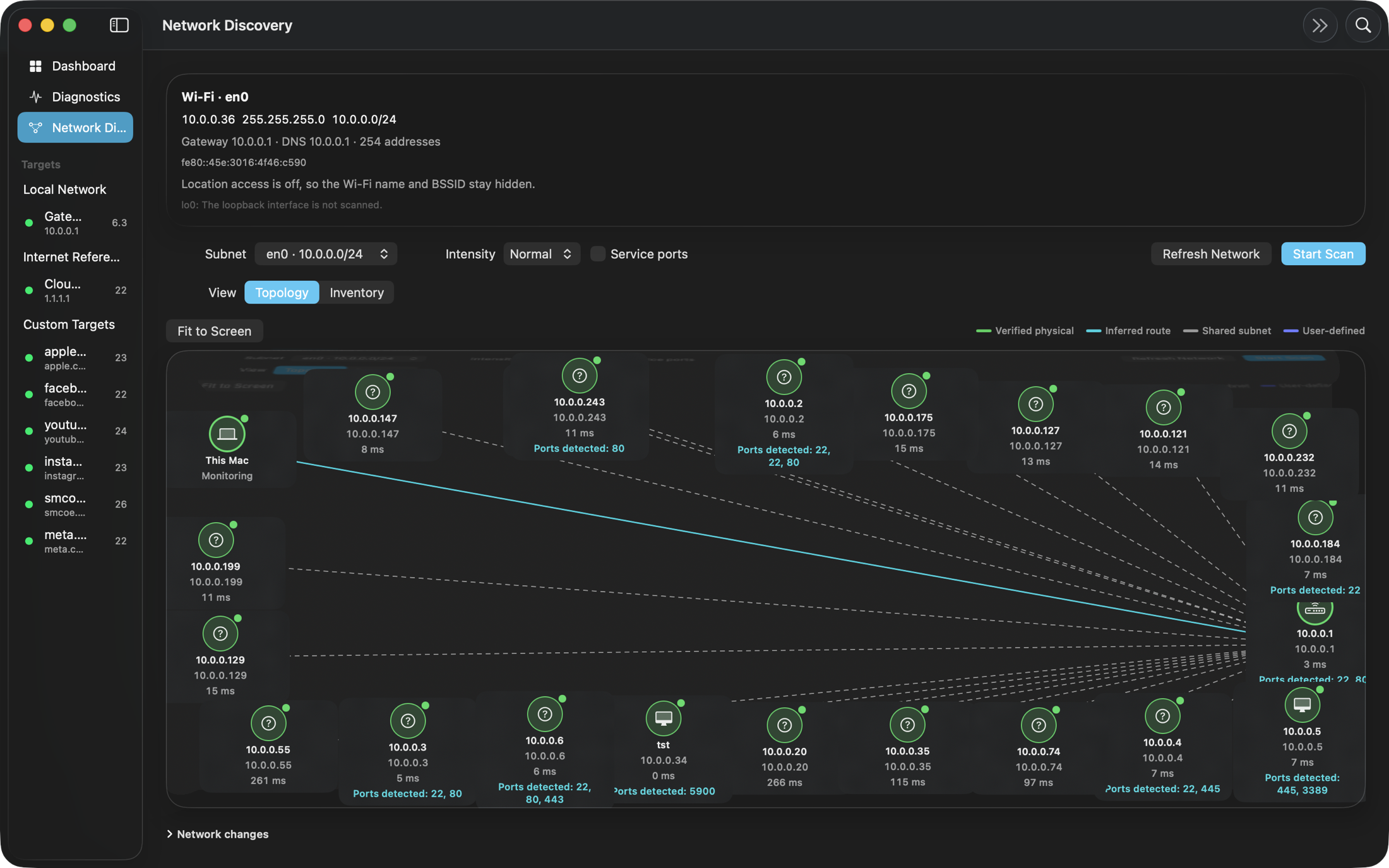
Devices that answer, as a list or a topology. Silent addresses stay off the map.
A gateway, a name on the internet, or anything else you type. Ping Flow groups them into Local Network, Internet Reference, and Custom Targets. Start from Cloudflare, Google, Apple, or Quad9, or add a host of your own.
Pause one target, or pause them all. Checking also stops while the Mac is asleep or offline, and resumes when the network is back.
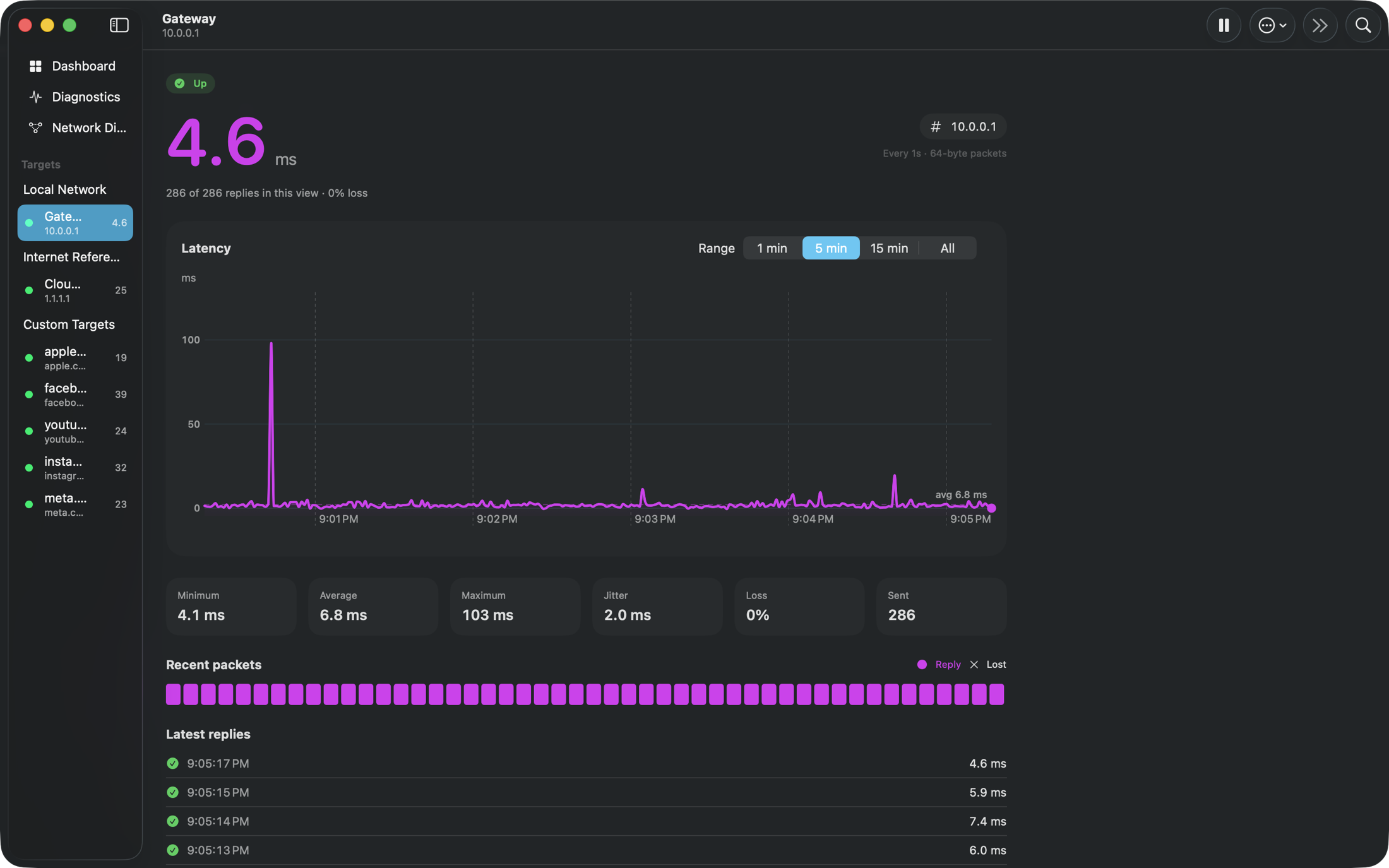
Minimum, average, maximum, jitter, and loss for the range in view. The chart covers one minute, five minutes, fifteen minutes, or every reply still in the session. A strip underneath marks which packets came back.
Diagnostics puts latency next to this Mac’s Wi-Fi signal, noise, transmit rate, and network events. An incident can be labeled Wi-Fi, upstream, DNS, a single destination, congestion, roaming, the gateway, and several others. The label is a clue. Ping Flow does not claim it has found the cause.
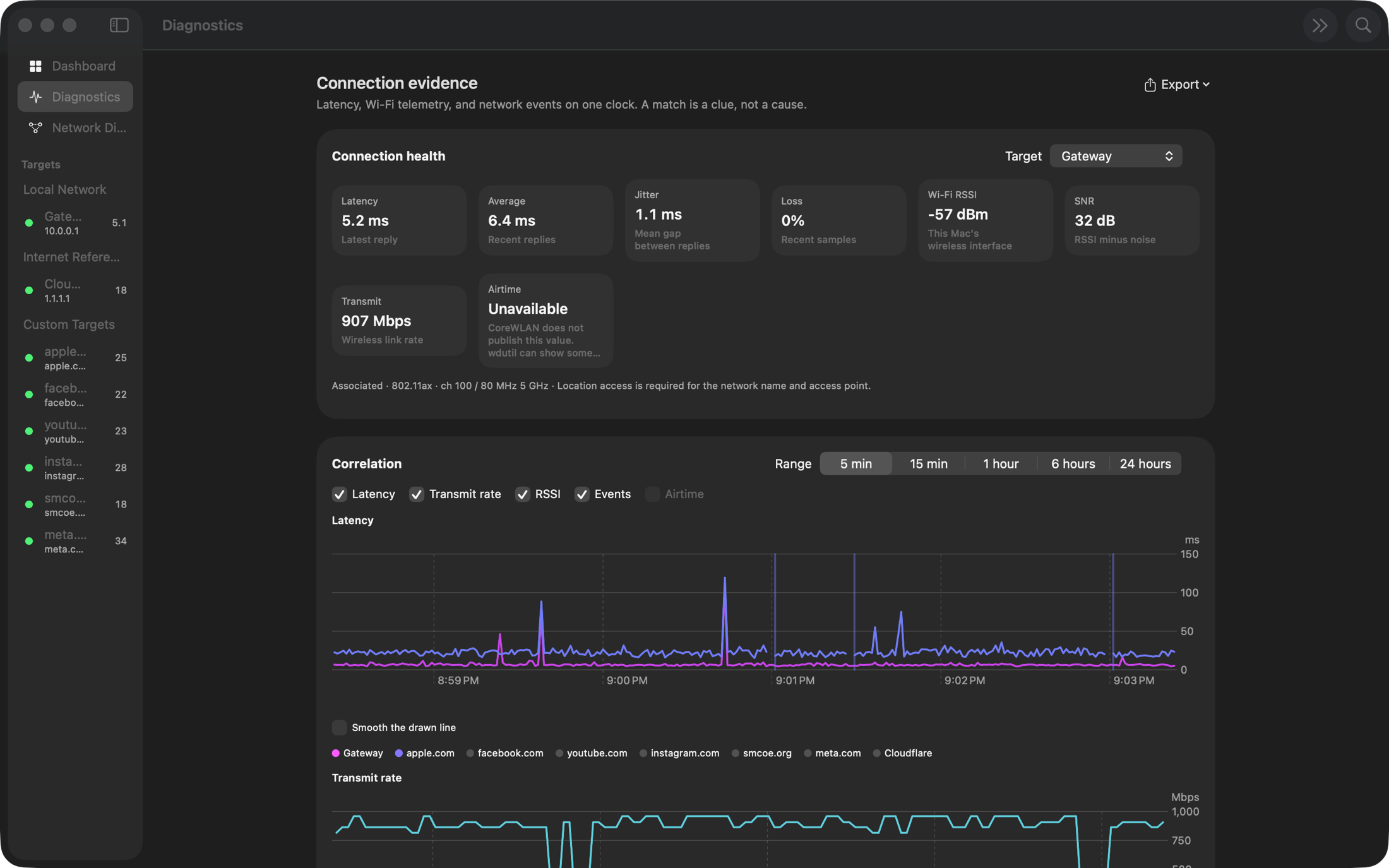
Export the evidence as CSV, JSON, a report, or a PDF. History stays on the Mac, for seven days unless you change it. Ranges run from five minutes to 24 hours.
Network Discovery scans the IPv4 subnet you choose, at a gentle, normal, or thorough pace. Hosts that answer show up in an inventory or on a topology map. You can check a short list of common ports, read advertised Bonjour services, and send a device straight to the watch list. VPN tunnels are listed and left out of the scan.
Pings go to the hosts you add. A scan goes to the subnet you start. Neither is sent to Mactility. Location is used only if you allow it, and only so macOS can show the Wi-Fi name and access point in Diagnostics.
macOS 26.6 or later.
Lemon Squeezy emails the download and a license key as soon as the payment is complete. Open Ping Flow and enter that key. It activates this Mac.
No account. Enter the license key from the receipt, then add hosts. The measurements stay on the Mac.
To the hosts you add. A discovery scan also reaches the subnet you choose, and only when you start it. The results stay on that Mac and are not sent to Mactility.
Only if you allow it. macOS requires location access before an app can show the Wi-Fi network name and access point in Diagnostics. The pings themselves do not need it. Leave location off and the name stays hidden.
It lines the replies up with Wi-Fi telemetry and network events, then labels the incident. The app treats that label as a clue, not a cause.
Email [email protected] within 14 days.
$19
One-time purchase. Updates included.
BuyCheckout stays on this page, through Lemon Squeezy, the merchant of record. Tax is calculated before you pay. The download and license key arrive by email.